
Apple Mac vs. Windows PC
Published by Rich Fawthrop in Apple the 19/07/2023 at 23:37

When it comes to choosing the right operating system for your business needs, the debate between Apple Mac and Windows has been ongoing for decades. Both operating systems offer their own unique features and benefits, so it's important to understand the key differences before making a decision. In this blog post, we will explore the pros and cons of both Apple Mac and Windows, providing you with valuable insights to help you make an informed choice for your professional needs.
Brief history and evolution of Apple Mac operating system.
The Apple Mac operating system has come a long way since its inception in 1984. It all began with the release of the Macintosh System Software, which introduced a graphical user interface and a mouse as the primary means of interaction with the computer. This revolutionary approach was a game-changer in the industry and set the foundation for the future evolution of the Mac operating system.
Over the years, Apple has continued to innovate and refine its operating system, incorporating advanced features and technologies to enhance user experience and productivity. In 2001, Apple introduced Mac OS X, a Unix-based operating system that combined the power of a traditional Unix-based system with the elegance and ease-of-use of the Macintosh interface. This marked a significant shift for Apple, positioning the Mac as a serious alternative to Windows-based systems in professional environments.
Since then, Apple has consistently released major updates to the Mac operating system, each bringing significant improvements and new features. With the release of Mac OS X Leopard in 2007, Apple introduced Time Machine, a built-in backup solution that made it effortless for users to protect their data. This was followed by Mac OS X Lion in 2011, which brought features like Mission Control, an intuitive way to navigate between open windows and applications.
In recent years, Apple has made another major shift with the introduction of macOS, dropping the "Mac OS X" branding. This change reflects Apple's broader ecosystem, which now includes not only Mac computers but also iPhones and iPads. The latest version, macOS 13.0 Ventura, focuses on improving the user experience while enhancing performance and graphics. It also introduces a brand new design language that is inspired by the physical world. The result is an operating system that looks beautiful and runs quickly, providing users with an even more engaging experience. With these features and many others, Apple has proven once again that they are dedicated to making sure their customers
Throughout its evolution, the Mac operating system has consistently stood out for its attention to detail, simplicity, and focus on user experience. Apple's commitment to creating a professional-grade operating system is evident in the seamless integration of hardware and software, allowing users to maximise their productivity and creativity.
As the Mac operating system continues to evolve, it will undoubtedly bring further enhancements and innovative features that cater to the needs of professionals around the world. The future of the Mac promises to be exciting, as Apple continues to push the boundaries of what is possible in the world of computing.
Brief history and evolution of Windows operating system.

The Windows operating system has a rich history that has played a significant role in shaping the modern computing landscape. It all started back in the 1980s when Microsoft released the first iteration of Windows, known as Windows 1.0. This user- friendly graphical operating system introduced a graphical user interface (GUI) to personal computers, revolutionising the way people interacted with their computers.
Over the years, Microsoft continued to refine and enhance the Windows operating system, introducing various versions such as Windows 3.0, Windows 95, Windows XP, Windows 7, Windows 8, and the latest, Windows 10. Each version came with its own set of improvements, offering enhanced usability, stability, security, and compatibility.
One of the most significant milestones in Windows' evolution was the release of Windows 95 in 1995. This version brought a host of innovations, including the iconic Start menu, taskbar, and long file names support, which made it incredibly popular and widely adopted.
Windows XP, released in 2001, brought a more stable and versatile operating system that garnered immense popularity among businesses and consumers alike. Its intuitive interface, improved performance, and support for a wide range of hardware and software made it a favourite choice for many users.
Throughout its evolution, Microsoft has focused on providing regular updates and patches to enhance security, address vulnerabilities, and introduce new features. This commitment to continuous improvement has helped Windows maintain its relevance and stay competitive in the ever-evolving technology landscape.
In recent years, Microsoft has also ventured into the realm of touch-based interfaces with the launch of Windows 8 and subsequently Windows 10 and 11. These versions aimed to provide a seamless experience across multiple devices , including desktops, laptops, tablets, and even smartphones.
As Windows has evolved, so have its hardware requirements. Microsoft has increasingly focused on ensuring compatibility with a wide range of devices, encouraging manufacturers to create innovative hardware designs to maximise the performance and capabilities of the operating system.
Today, Windows continues to dominate the business landscape, providing a robust and reliable platform for productivity and collaboration. With its extensive software library and widespread adoption, Windows remains a popular choice for individuals and organisations across the globe.
In comparison to its main competitor, the Apple Mac operating system, Windows has established its presence in both the professional and consumer markets, offering a flexible and customisable solution that caters to a wide range of user needs.
User interface: Comparing the user interface of Apple Mac and Windows.

The user interface plays a crucial role in how we interact with our devices, shaping our overall experience. When it comes to comparing the user interface of Apple Mac and Windows, there are distinct differences that cater to different user preferences and needs.
Apple Mac is renowned for its sleek and minimalist design. The macOS user interface features a clean and intuitive layout with a focus on aesthetics and ease of use. The menu bar at the top of the screen provides quick access to various settings and applications, while the dock at the bottom grants easy launchpad access to frequently used apps. With its cohesive design elements and smooth animations, the Mac interface offers a visually consistent and pleasing experience.
On the other hand, Windows has evolved over the years with successive updates, adapting to changing user demands. The Windows user interface strikes a balance between familiarity and functionality, catering to a wide range of users. With the Start menu as its centrepiece, Windows offers a customisable and feature-rich experience. The taskbar provides quick access to frequently used apps, alongside a notification centre for managing alerts and settings. The Windows interface embraces flexibility, allowing users to customise the desktop and personalise their overall experience.
Both Apple Mac and Windows provide unique features that enhance productivity and streamline tasks. Mac users can benefit from features like Mission Control, which offers a bird's eye view of all open windows, making it easier to switch between applications. The Mac interface also integrates seamlessly with other Apple devices, enhancing the overall user experience across the Apple ecosystem.
Windows, on the other hand, boasts a wide range of software compatibility, addressing the needs of various professional industries. The Windows user interface supports features like Snap Assist, which allows users to snap and organise windows side by side for multitasking. Additionally, the presence of a dedicated file explorer enhances file management and accessibility.
Ultimately, the choice between Apple Mac and Windows user interfaces comes down to personal preference and individual requirements. Mac's minimalist design and seamless integration appeal to creative professionals and those who value simplicity. Windows, with its adaptability and wide software compatibility, tends to cater to a broader user base that focuses on productivity and flexibility.
When making a decision, it is essential to consider your specific needs, workflow, and familiarity with either ecosystem. Whether you opt for the refined elegance of Apple Mac or the adaptable functionality of Windows, both operating systems continue to evolve and offer improved user interfaces with each iteration.
Hardware compatibility: Discussing the compatibility of Apple Mac and Windows with different hardware devices.

When it comes to hardware compatibility, Apple Mac and Windows systems have distinct differences. Apple Mac is known for its tight integration between hardware and software, as it is designed to work seamlessly with Apple's own line of products. This means that Mac users can enjoy smooth compatibility with Apple accessories such as Thunderbolt displays, Magic Mouse, and Magic Keyboard.
In contrast, Windows systems offer a wider range of options when it comes to hardware compatibility. With numerous manufacturers producing Windows-compatible devices, users have a plethora of hardware choices available, ranging from graphics cards to printers and scanners. This versatility allows Windows users to customise and upgrade their systems according to their specific needs and preferences.
However, it is important to note that while Windows systems offer extensive hardware compatibility, the integration may not always be as seamless as on a Mac. Users may encounter occasional driver issues or face challenges in finding software that works optimally with their chosen hardware.
On the other hand, Apple Mac's hardware compatibility is more streamlined due to its closed ecosystem. This ensures that Mac users have a more robust and reliable experience, as the hardware and software are specifically designed to work in unison. Additionally, Mac users benefit from Apple's stringent quality control, resulting in a cohesive user experience across different devices .
Ultimately, the choice between Apple Mac and Windows will depend on your specific needs and preferences when it comes to hardware compatibility. If you value a broad range of choices and customisation options, Windows might be the ideal choice. However, if you desire a tightly integrated ecosystem with a streamlined user experience, Apple Mac can offer a seamless compatibility with their own line of products.
Software availability: Examining the availability and variety of software on Apple Mac and Windows.
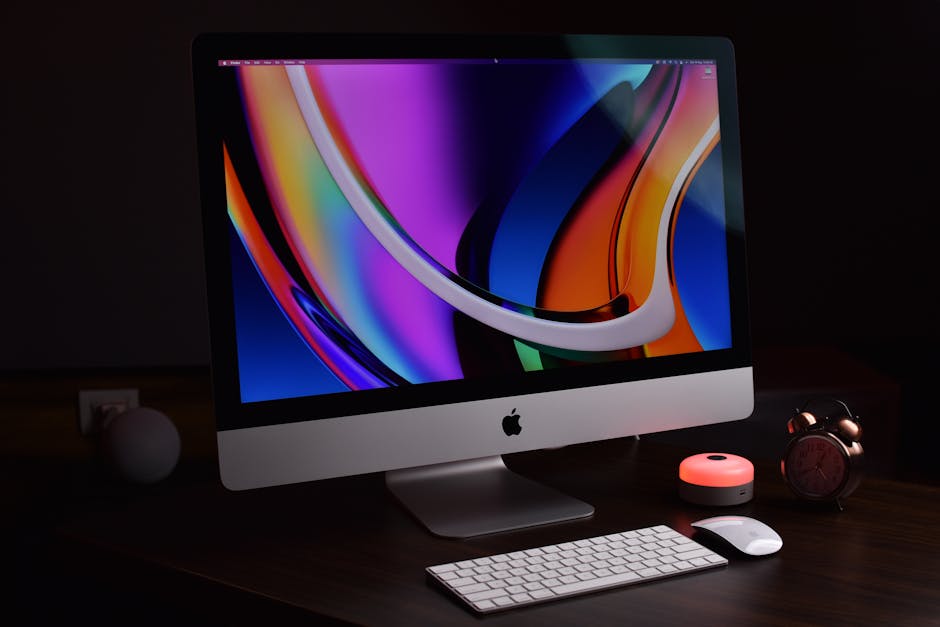
When it comes to choosing between Apple Mac and Windows, one crucial factor to consider is the availability and variety of software on each platform. Both Mac and Windows offer a vast range of software applications to cater to different needs and preferences, but there are some notable differences to be aware of.
Apple Mac is widely known for its seamless integration with creative industries such as design, photography, and video editing. The Mac App Store provides users with a centralised hub for downloading software, making it easy to find, purchase, and install applications. Furthermore, Apple has strict guidelines for developers, ensuring that the software available on the Mac App Store is generally of high quality.
Windows, on the other hand, boasts a larger overall user base, which has led to a wider selection of software options. The Windows ecosystem offers an extensive range of applications not only for creative purposes but also for productivity, gaming, and business needs. Additionally, Windows supports multiple distribution platforms like the Microsoft Store, Steam, and numerous third-party websites, giving users the flexibility to explore various sources for software.
While both platforms have their own strengths in terms of software availability, there are certain applications that are exclusive to either Mac or Windows. Popular software like Final Cut Pro X and Logic Pro X are only available on Mac, making it the go-to choice for many professionals in the creative industry. On the other hand, Windows excels in providing software that caters to a wider range of industries and needs, including powerful business tools like Microsoft Office Suite and development environments like Visual Studio.
Another factor to consider is compatibility. While most software options are available for both Mac and Windows, there may be instances where specific applications are only compatible with one platform. It is crucial to check the system requirements and compatibility details of software before making a decision.
Ultimately, when deciding between Apple Mac and Windows, it is essential to evaluate your specific software requirements and preferences. Consider the industry you work in, the type of applications you need, and the compatibility aspects associated with each platform. By carefully assessing the availability and variety of software on both Mac and Windows, you can make an informed decision that aligns with your professional needs and enhances your overall productivity.
Performance and speed: Analysing the performance and speed differences between Apple Mac and Windows.

When it comes to choosing a computer, one of the most critical factors to consider is performance and speed. In this section, we will delve into the performance differences between Apple Mac and Windows systems and provide an analysis to help you make an informed decision.
Apple Mac computers are renowned for their seamless performance and smooth user experience. Built using Apple's proprietary hardware and software, Mac systems are designed to work flawlessly together, resulting in efficient performance. The integration of Mac's hardware and software allows for optimised resource utilisation, enabling tasks to be completed quickly and efficiently. Additionally, Macs are known for their superb multitasking capabilities, allowing users to run multiple applications simultaneously without any noticeable lag.
On the other hand, Windows-based PCs offer a range of hardware options from various manufacturers, providing users with an opportunity to customise their system according to their specific needs and budget. While this flexibility is advantageous, it also means that the performance can vary depending on the hardware configuration. Windows systems often require regular optimisation and maintenance to ensure optimal performance.
Another significant aspect to consider is the role of the operating systems themselves. Mac's macOS is specifically developed to run on Apple hardware, allowing for greater control over the software's optimisation. This integration creates a seamless user experience and contributes to the overall speed and performance. In contrast, Windows OS is compatible with several hardware configurations, which can sometimes result in compatibility issues and slower performance.
Furthermore, the choice of software and applications can also impact performance. Macs have a reputation for being favoured by creative professionals, with a vast ecosystem of optimized software tailored to specific tasks such as graphic design, music production, and video editing. On the other hand, Windows systems offer a more extensive range of software, including gaming applications, making them a popular choice for gamers and business users alike.
In conclusion, both Apple Mac and Windows systems offer solid performance and speed capabilities. Macs excel in providing a seamless user experience, optimised for specific tasks, while Windows systems offer greater customisation options and a wider variety of software offerings. Ultimately, the decision comes down to personal preference, specific requirements, and budget considerations.
Security: Comparing the security features and vulnerabilities of Apple Mac and Windows.

When it comes to choosing a computer operating system for your business, security is undeniably a top priority. In this section, we will compare the security features and vulnerabilities of Apple Mac and Windows, shedding light on the strengths and weaknesses of each platform.
Apple Mac has long been lauded for its robust security features. One of its key advantages is its closed ecosystem, which enables Apple to have full control over hardware and software integration. This approach allows for a highly secure environment where potential vulnerabilities are often quickly identified and patched. Additionally, Macs come with built-in features like Gatekeeper, which verifies the origin and integrity of applications, and FileVault, a powerful encryption tool to protect sensitive data. These features, combined with Apple's stringent App Store review process, contribute to a lower risk of malware and other security threats compared to other platforms.
Windows, on the other hand, has made significant strides in improving its security measures over the years. Microsoft has put considerable effort into enhancing the security features of their operating system, especially with the introduction of Windows 10. Windows Defender, the built-in antivirus and anti-malware solution, has proven to be quite effective in protecting against common threats. Moreover, regular updates and patches have become a common practice for Microsoft, ensuring that any potential vulnerabilities are swiftly addressed. However, Windows is often the preferred target for cybercriminals due to its widespread usage, which can make it more susceptible to attacks.
Both Mac and Windows have experienced security vulnerabilities in the past. While Apple's closed ecosystem provides an added layer of protection, it does not make Macs immune to security breaches. Furthermore, as the popularity of Macs has grown, so has the interest of cybercriminals in targeting these systems. Additionally, despite Microsoft's efforts, the vast number of Windows users still makes it an attractive target for hackers. It is crucial for businesses using either of these platforms to implement additional security measures such as strong passwords, two-factor authentication, and regular data backups to mitigate potential risks.
Ultimately, both Apple Mac and Windows have made significant progress in terms of security, with each having its own set of strengths and weaknesses. The choice between the two platforms should be based on your specific business needs, the level of technical expertise within your organisation, and the availability of compatible software and tools. Regardless of the platform chosen, investing in a comprehensive security strategy that includes regular updates, ongoing employee education, and proactive monitoring is essential to maintaining a secure business environment.
Customisability: Exploring the level of customisation options on Apple Mac and Windows.
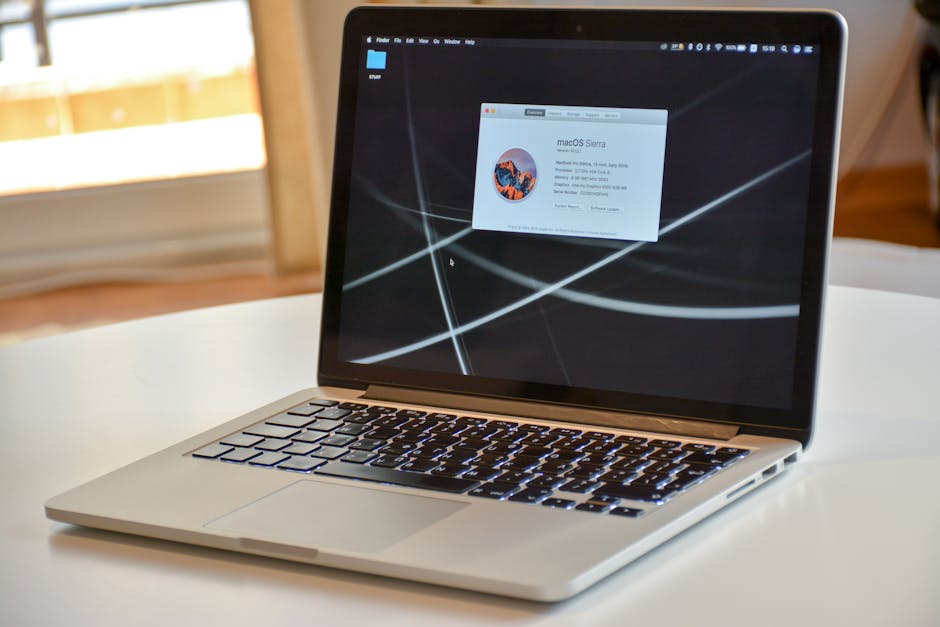
When it comes to customisability, there are distinct differences between Apple Mac and Windows operating systems. Each platform offers its own set of customisation options to cater to the preferences and needs of users.
Apple Mac computers are known for their sleek design and streamlined user experience. While Macs offer a level of customisation, they prioritise a more closed ecosystem compared to Windows. Mac users have the ability to personalise their desktops with various wallpapers and screensavers. Furthermore, Mac users can organise their applications and files in a way that suits their workflow, allowing for a personalised and efficient desktop experience.
Windows, on the other hand, has long been recognised for its extensive customisation options. Windows users can modify almost every aspect of their operating system, from the overall look and feel of their desktop to the appearance of individual applications. The Windows Store provides a wide range of themes, wallpapers, and widgets, enabling users to create a truly personalised experience. Additionally, Windows allows users to customise various settings such as mouse and keyboard preferences, notification preferences, and accessibility features, allowing for a highly tailored experience.
In terms of app customisation, both Apple Mac and Windows offer different options. Mac users can make use of the Mac App Store to browse and download a wide range of apps to enhance their productivity, creativity, and entertainment. Windows, on the other hand, boasts a significant advantage in terms of app options, as it supports a larger variety of third-party applications, giving users more flexibility and choice when it comes to customising their workflow.
Ultimately, the level of customisation on Apple Mac and Windows largely depends on personal preferences. Macs prioritise a sleek and intuitive experience, while Windows offers extensive customisation capabilities to accommodate a wider range of user preferences. Whether you value a more streamlined and consistent experience or the freedom to tailor your device to your liking, both platforms have customisation options that can cater to your needs.